
Publishing content consistently across multiple social media platforms can quickly become overwhelming, especially when you're creating posts one at a time. One of the most effective ways to stay organised, save time, and maintain a consistent brand voice is to batch your social media content.
In this guide, you'll learn what social media content batching is, why content creators, marketers, and businesses use it, and which tools are best for batching social media content. You'll also learn how to batch schedule and publish your content efficiently using Zernio.
What is Social Media Batching?
Social media batching is the process of planning, creating, editing, or scheduling multiple social media posts in a single session instead of working on one post at a time. It involves dedicating time to produce content for several days, weeks, or even months in advance.
Content batching focuses on how content is produced, making the creation process more efficient and organised. For example, instead of writing one LinkedIn post every morning, you might spend a few hours creating 20 posts for the month. A creator may also record multiple TikTok or Instagram Reel videos in one afternoon.
Why Batch Social Media Content?
Social media batching helps you create content in advance, giving you more control over your content calendar, reducing the pressure of creating posts every day, and making it easier to maintain a consistent publishing schedule.
Some reasons why content creators, marketers, and businesses batch their social media content include:
1. Stay Consistent With Your Content Strategy
A well-planned content strategy only works when you publish consistently, and batching helps you create content in advance around your content pillars, campaigns, and marketing goals. With your posts ready in advance, you are more likely to maintain a consistent publishing schedule and deliver content that aligns with your overall marketing strategy.
2. Save Time by Reducing Context Switching
Creating social media content involves multiple tasks, such as researching topics, writing captions, designing graphics, recording videos, and reviewing content. Constantly switching between these tasks every day reduces productivity and makes content creation feel more time-consuming.
Batching groups similar tasks together. For example, you can write all your captions in one session, design graphics in another, and record videos separately to work faster and more efficiently.
3. Improve Content Quality
When you're not under pressure to publish immediately, you have more time to review, edit, and improve your content before it goes live. Batching allows you to check for grammar, refine your messaging, ensure consistent branding, and optimise each post for the platform you're publishing to.
4. Simplify Team Collaboration and Approvals
For businesses, agencies, and marketing teams, content often needs input from writers, designers, managers, or clients before it can be published. Batching makes this process easier by allowing everyone to review and approve multiple posts at once, without interrupting the daily publishing workflow. This keeps campaigns organised and moving on schedule.
5. Build a Reliable Content Pipeline
Unexpected meetings, holidays, or creative blocks can disrupt your publishing schedule if you're creating content one day at a time. Batching ensures you always have content ready to publish and enough time to engage with your audience, analyse performance, or plan your next content batch.
6. Make Scheduling and Publishing Easier
Once you've created a batch of content, the next step is to schedule and publish it. Instead of manually posting every day, you can upload the entire batch to social media management platforms like Zernio and schedule it in advance from a single dashboard or API integration.
Best Tools for Batch Creating Social Media Posts
There are many tools available to help you batch different stages of your social media workflow, from brainstorming ideas and creating content to scheduling and publishing posts. In this section, we'll look at the best tools for each stage and how they can help you create and manage social media content more efficiently.
Content Creation and Ideation
1. Canva
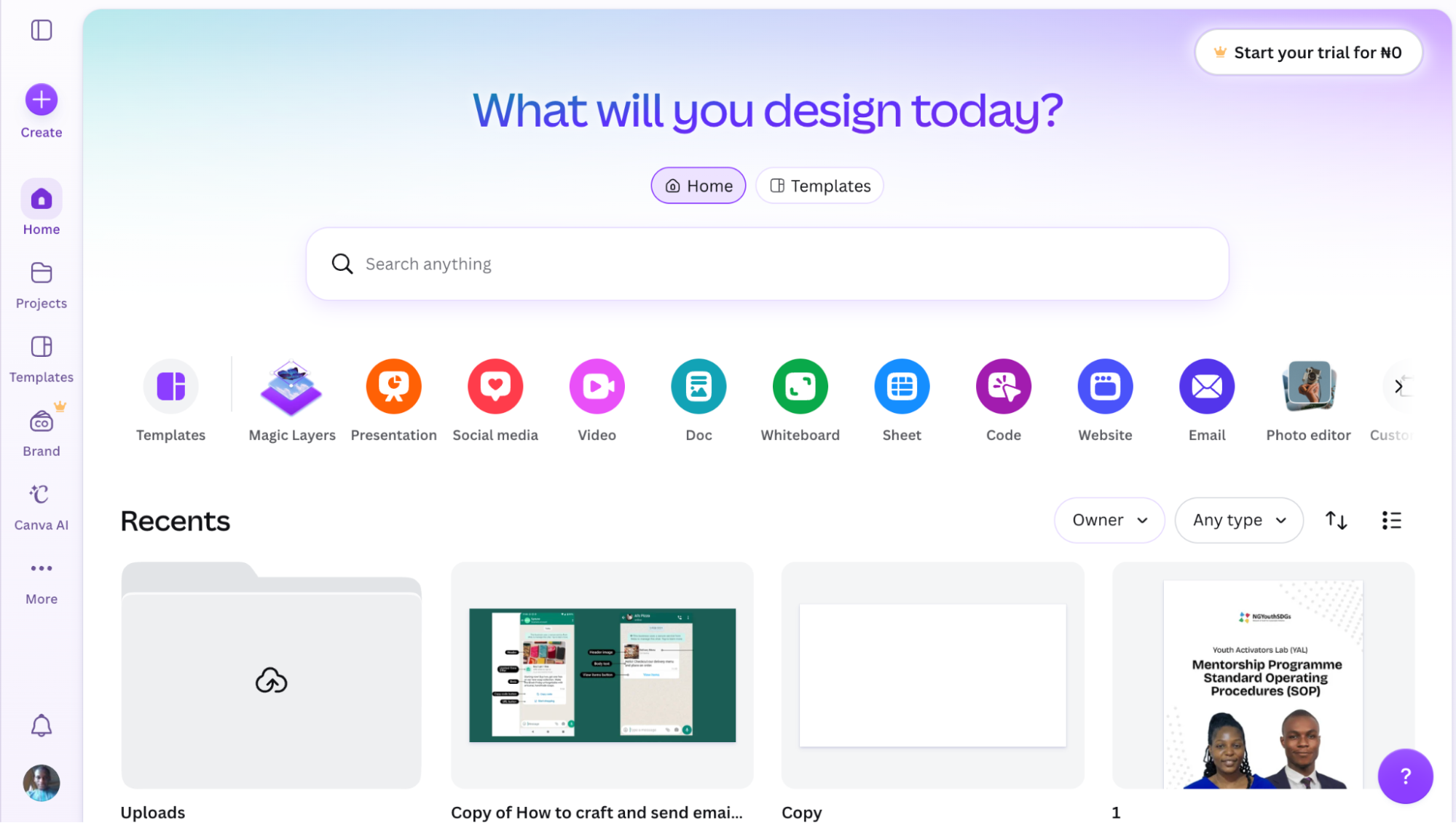
Canva is a graphic design platform that enables individuals, creators, and businesses to create professional social media graphics without requiring advanced design skills. It provides thousands of customisable templates, drag-and-drop editing tools, stock photos, icons, fonts, and brand kits to help you produce content at scale.
Canva is particularly useful for batching visual content because you can create multiple assets in one session, duplicate designs, apply brand colours consistently, and resize graphics for different platforms with minimal effort. Whether you're preparing a month's worth of content or launching a campaign, Canva makes it easy to create a consistent set of branded visuals.
You can use Canva to create content for social media platforms including Instagram (posts, Stories, Reels covers, and carousels), Facebook, LinkedIn, Pinterest, X (Twitter), TikTok cover images, and YouTube thumbnails.
2. Claude
Claude is an AI assistant that helps creators and marketers research topics, generate ideas, and draft social media content more efficiently. Instead of brainstorming one post at a time, you can use Claude to generate weeks' or even months' worth of captions, hooks, content calendars, campaign ideas, and platform-specific copy in a single session.
It is particularly effective for content batching because it can repurpose existing content into multiple social media formats. For example, you can turn a blog post into a LinkedIn article, an X thread, an Instagram caption, a Facebook post, or a YouTube Community post while maintaining a consistent message across platforms.
You can also use Claude to refine your writing by adjusting the tone, improving clarity, generating calls to action, suggesting hashtags, and tailoring content for different social media platforms before publication.
If you use Claude Desktop, Claude Code, Claude Cowork, or another MCP-compatible AI assistant, you can also connect it to the hosted Zernio MCP server to manage your social media publishing using natural language.
3. CapCut
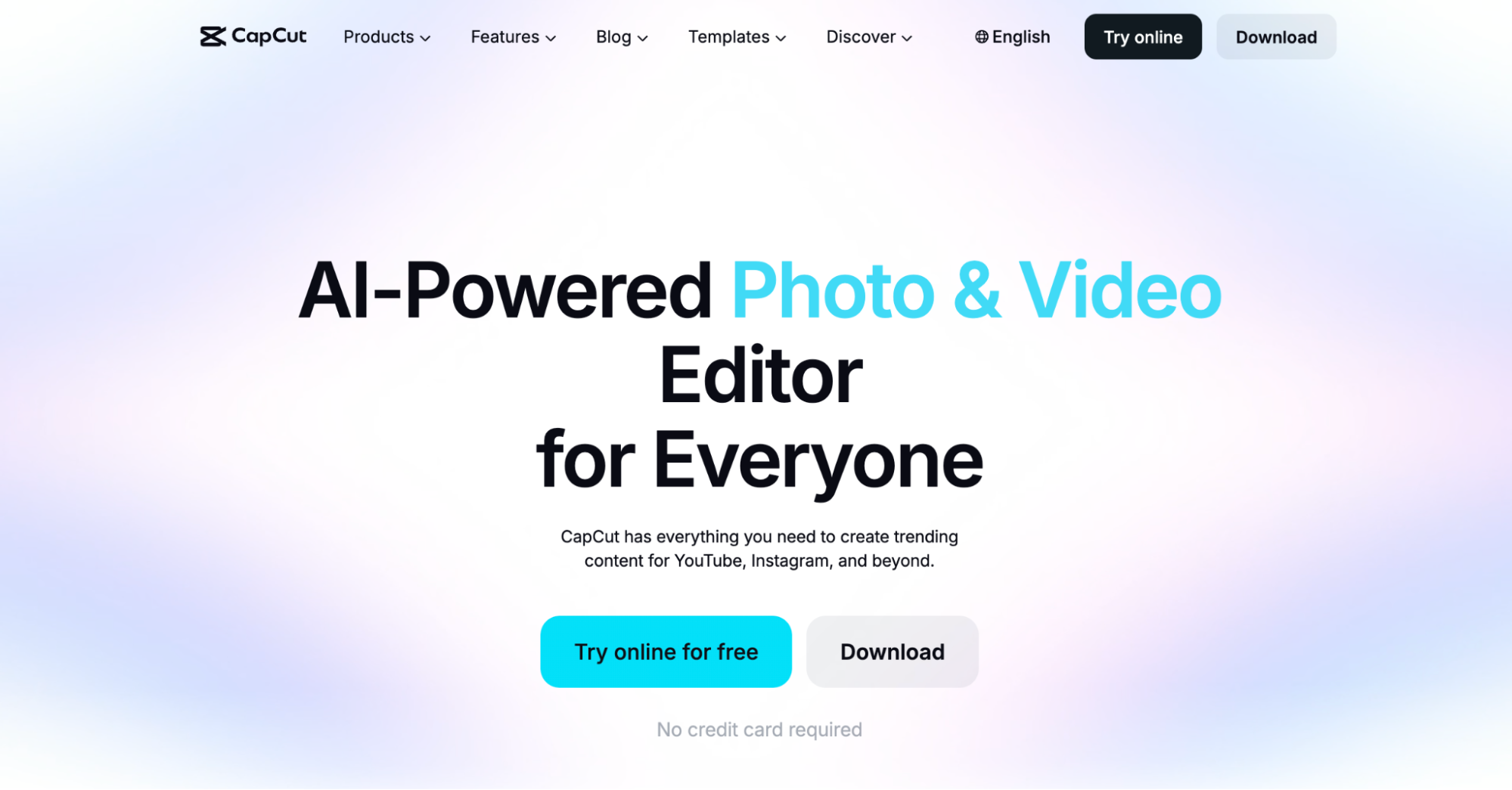
CapCut is a video editing platform for creating short-form social media videos. It provides a simple editing interface with templates, transitions, subtitles, effects, audio editing, and AI-powered features that make it easy to produce engaging video content without professional editing experience.
CapCut is ideal for batching video content because you can record multiple clips in a single session and edit them together with reusable templates, captions, and branding. This approach helps creators maintain a consistent visual style while significantly reducing editing time.
You can use CapCut to create videos for TikTok, Instagram Reels, Facebook Reels, YouTube Shorts, LinkedIn, and other social media platforms that support short-form video content.
Content Posting and Scheduling
1. Zernio
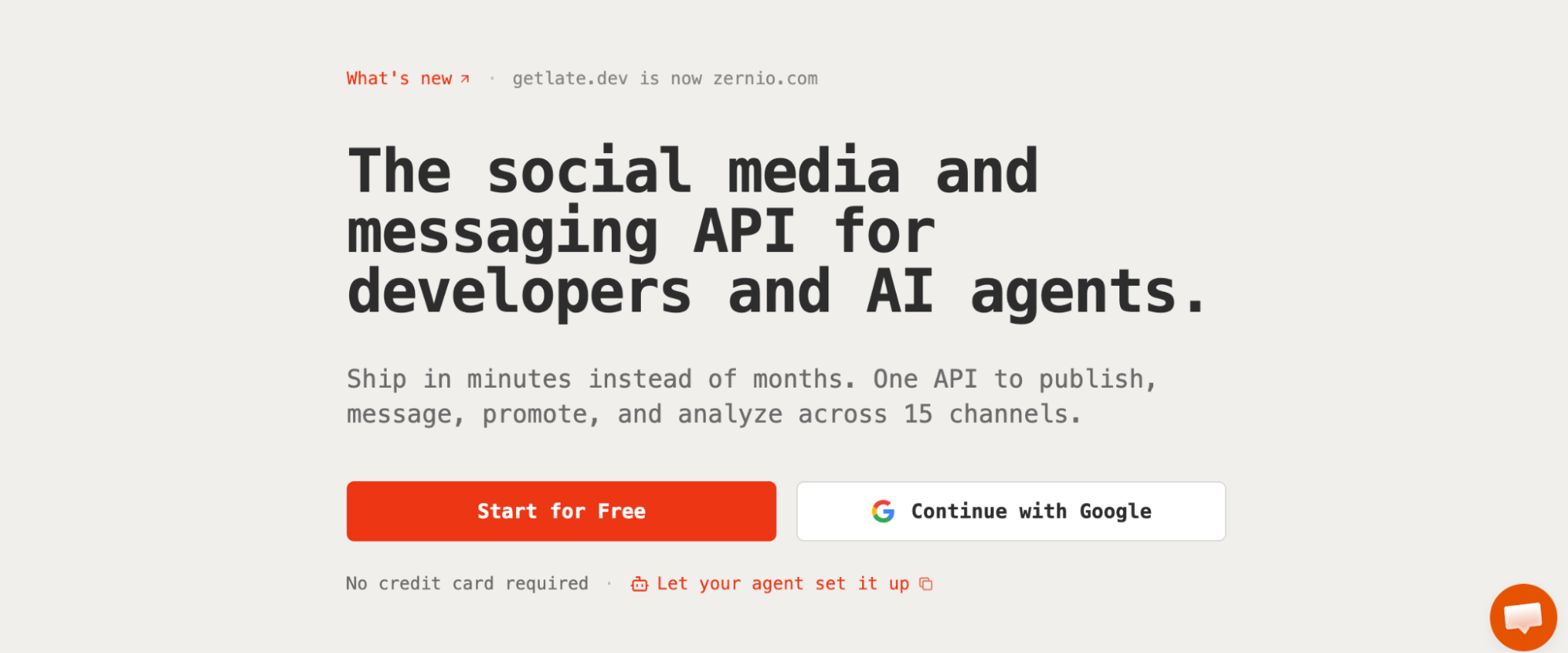
Zernio is a social media management and messaging API platform that supports content scheduling, auto-posting, and publishing across 15 social media platforms through its dashboard, AI assistants, or unified API.
Zernio is designed for batch scheduling and publishing, allowing you to upload and schedule multiple social media posts via a dashboard or a single API request. It also supports multi-platform direct messaging, analytics, ads, and a unified API that you can actually build on: a single JSON payload and a unified authentication layer with built-in rate limits handling and retry mechanisms, webhook support, request logs, and AI-powered automation workflows.
Features
- Dashboard and unified API for scheduling, publishing, and managing posts across 15 social media platforms
- Unified Ads API for managing advertising campaigns across Meta, LinkedIn, Pinterest, TikTok, X, Google, and OpenAI
- Multi-platform analytics to track post performance and audience engagement
- Unified inbox for managing DMs and comments from multiple platforms
- Bulk scheduling and queue management via API or dashboard
- Real-time webhooks for post lifecycle tracking (queued, processing, published, failed)
- Automatic rate limit handling with intelligent queuing and retry mechanisms
- Clean SDKs and docs to ship fast
- Multi-account management with unlimited team member support
- MCP support for AI assistants and agent-based automation
Pricing: Free plan for up to 2 social accounts. Paid plans start at $6/month for 3 or more accounts.
Best for: Batch scheduling and publishing, multi-platform social media management, AI assistants and MCP integrations, SaaS applications and unified API integrations.
2. Buffer
Buffer is a social media management platform that makes it easy to create and schedule content, generate post ideas, measure post performance, and collaborate with team members. It is designed for creators and small businesses that need a simple cross-platform scheduling tool with a built-in AI assistant for generating and repurposing content, as well as a lightweight API for post scheduling and automation.
Features: Multi-platform content scheduling and publishing (across 11 social media platforms), community inbox for managing comments and replies, AI-assisted content creation and optimisation, GraphQL API and MCP server integration for posts, channels, and analytics automation, free plan for up to 3 channels, paid plans from $6/month per channel.
Best for: Content creators, startups, and small businesses that need simple cross-platform scheduling without built-in social ads management or direct messaging.
3. Hootsuite
Hootsuite is a social media management platform primarily used by marketing teams and enterprises to schedule posts, manage multiple social accounts, monitor engagement, and manage social conversations at scale. It also helps teams batch create and organise content using a shared content calendar, making it easier to plan, review, and schedule weeks or months of social media campaigns in advance.
Features: Multi-platform content scheduling and publishing (across 10 social media platforms), unified inbox for multi-channel messaging, content calendar for campaign planning and collaboration, AI assistant for captions, hashtags, and content ideas, social listening and brand monitoring, plans from $99/user/month.
Best for: Marketing teams and enterprises that need campaign planning, team collaboration, social listening, and large-scale social media management. API access requires registration and approval, and it does not support content scheduling.
Read more: Best Hootsuite Alternatives in 2026
Stop building social integrations from scratch.
One API call to publish, schedule, and manage posts across 15+ platforms.
How to Batch Schedule Social Media Content with Zernio
After creating your content in batches, the next step is to schedule and publish it. Zernio offers three ways to batch-schedule social media content, depending on your workflow: through the dashboard, the unified API, or AI assistants connected to the hosted Zernio MCP server.
The following sections walk you through each approach.
Using Zernio Dashboard
The Zernio dashboard provides a no-code way to batch schedule and publish social media content. You can upload multiple posts at once using a CSV file or create and schedule posts manually from the dashboard.
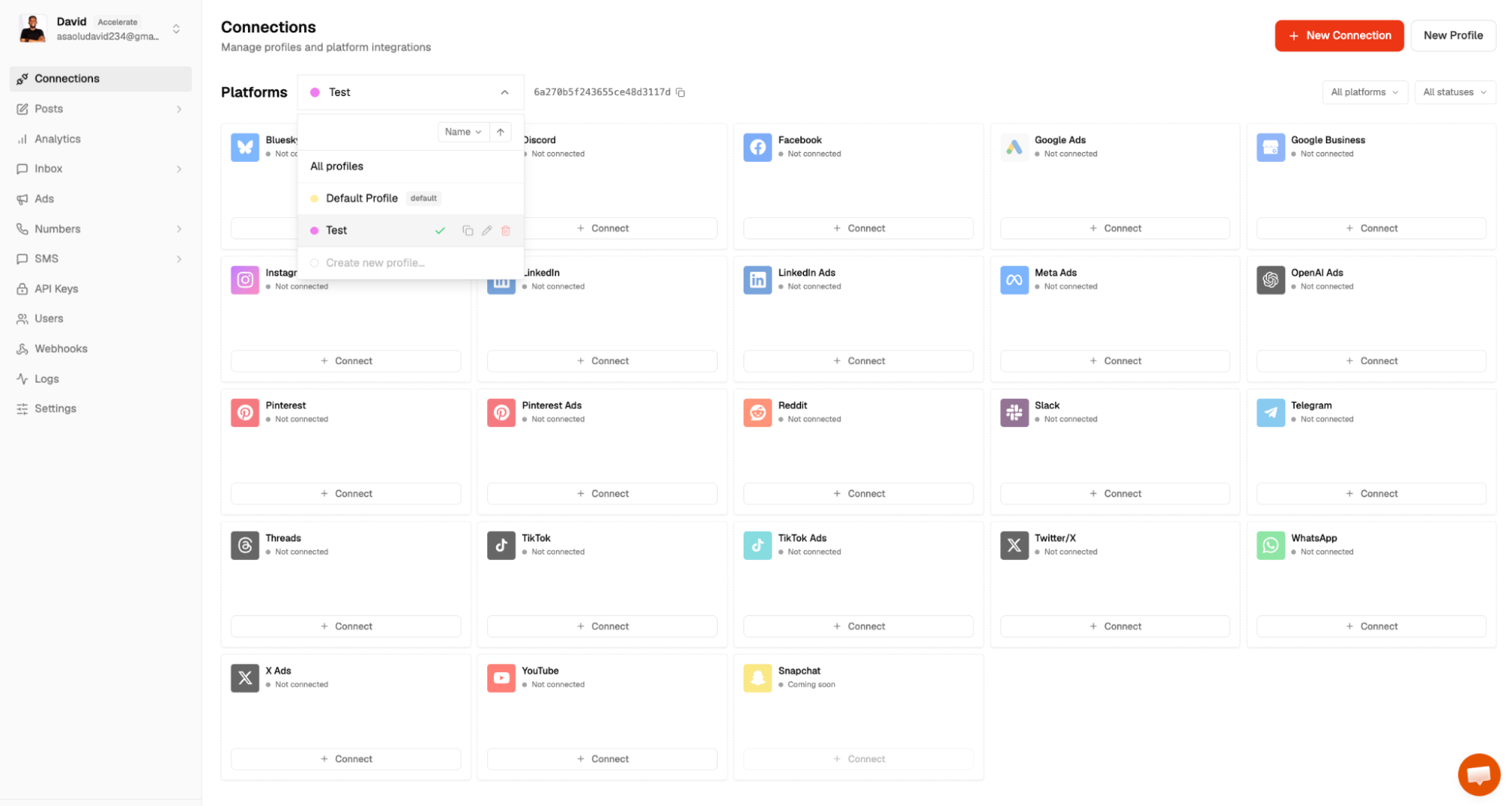
Step 1. Log in to your Zernio account and navigate to Connections from the sidebar. Connect the social media accounts you want to publish to. You can also connect multiple accounts for the same social media platform by creating additional profiles.
Step 2. Open the Posts section and upload a CSV file containing the posts you want to schedule in bulk. Your CSV file should include the following columns: post_content, platforms, profiles, and schedule_time. After uploading the file, review the imported posts and schedule them for publication.
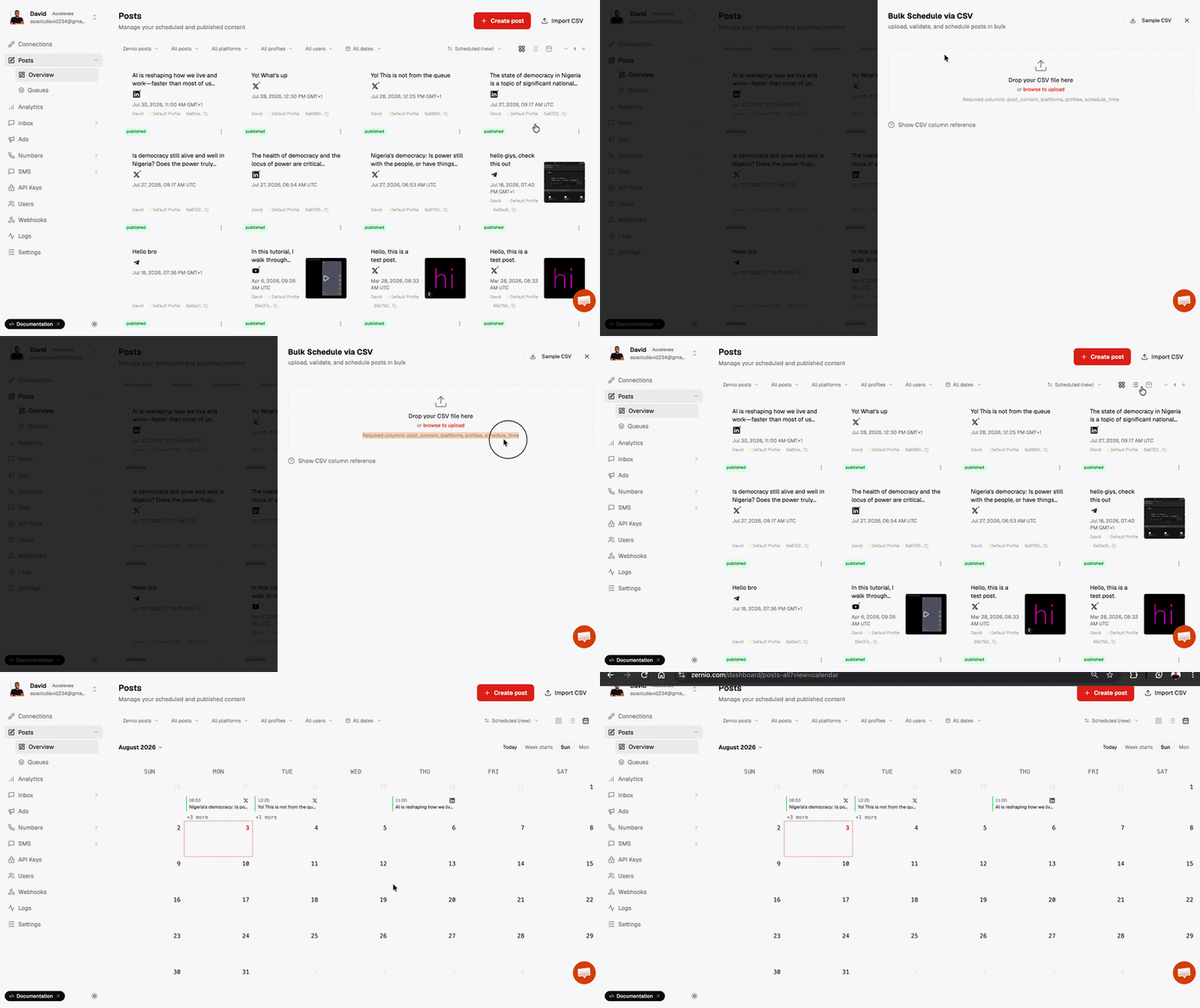
Zernio also offers a built-in content calendar that allows you to create, view and manage all scheduled posts in one place.
Step 3. To create and schedule posts manually, click Create Post, select one or more social media profiles, add your content and media, choose a publishing date and time, then click Schedule post or Publish now.
Using Zernio API
If you're building a SaaS application or integrating social media posting into your applications, you can use the Zernio API to batch and schedule social media posts programmatically. The unified social media API lets you publish to multiple social media platforms using the same request format and authentication method.
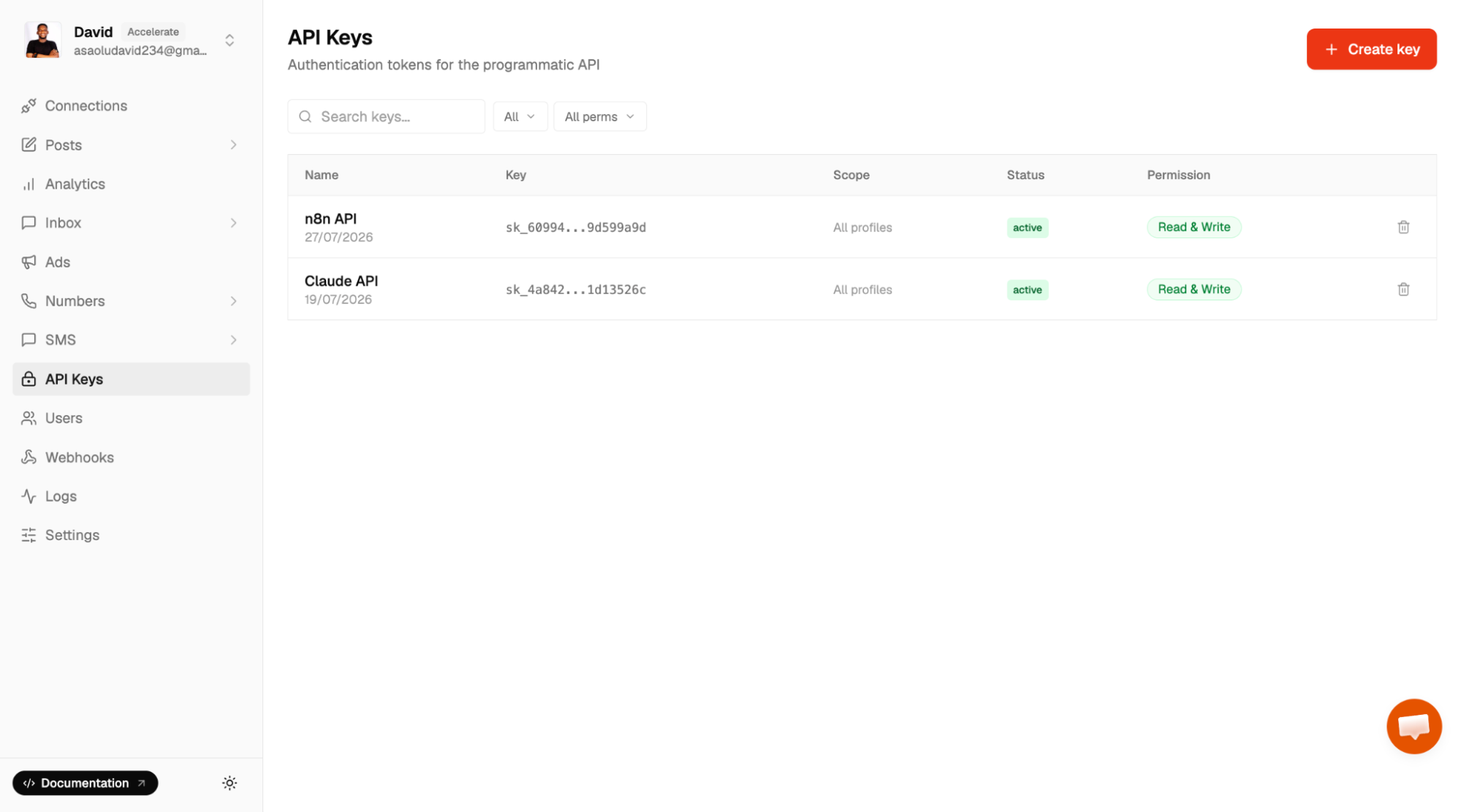
Step 1. Select API Keys from the sidebar menu to create a new API key and save it somewhere on your computer. Before making API requests, ensure that your social media accounts are already connected to Zernio.
Step 2. Schedule a post using your API key and connected social media account ID.
# Use any future time; it's interpreted in the timezone field
curl -X POST https://zernio.com/api/v1/posts \
-H "Authorization: Bearer $ZERNIO_API_KEY" \
-H "Content-Type: application/json" \
-d '{
  "content": "Hello world! This is my first post from the Zernio API",
  "scheduledFor": "2027-01-01T12:00:00",
  "timezone": "America/New_York",
  "platforms": [{"platform": "twitter", "accountId": "ZERNIO_TWITTER_ACCOUNT_ID"}]
}'
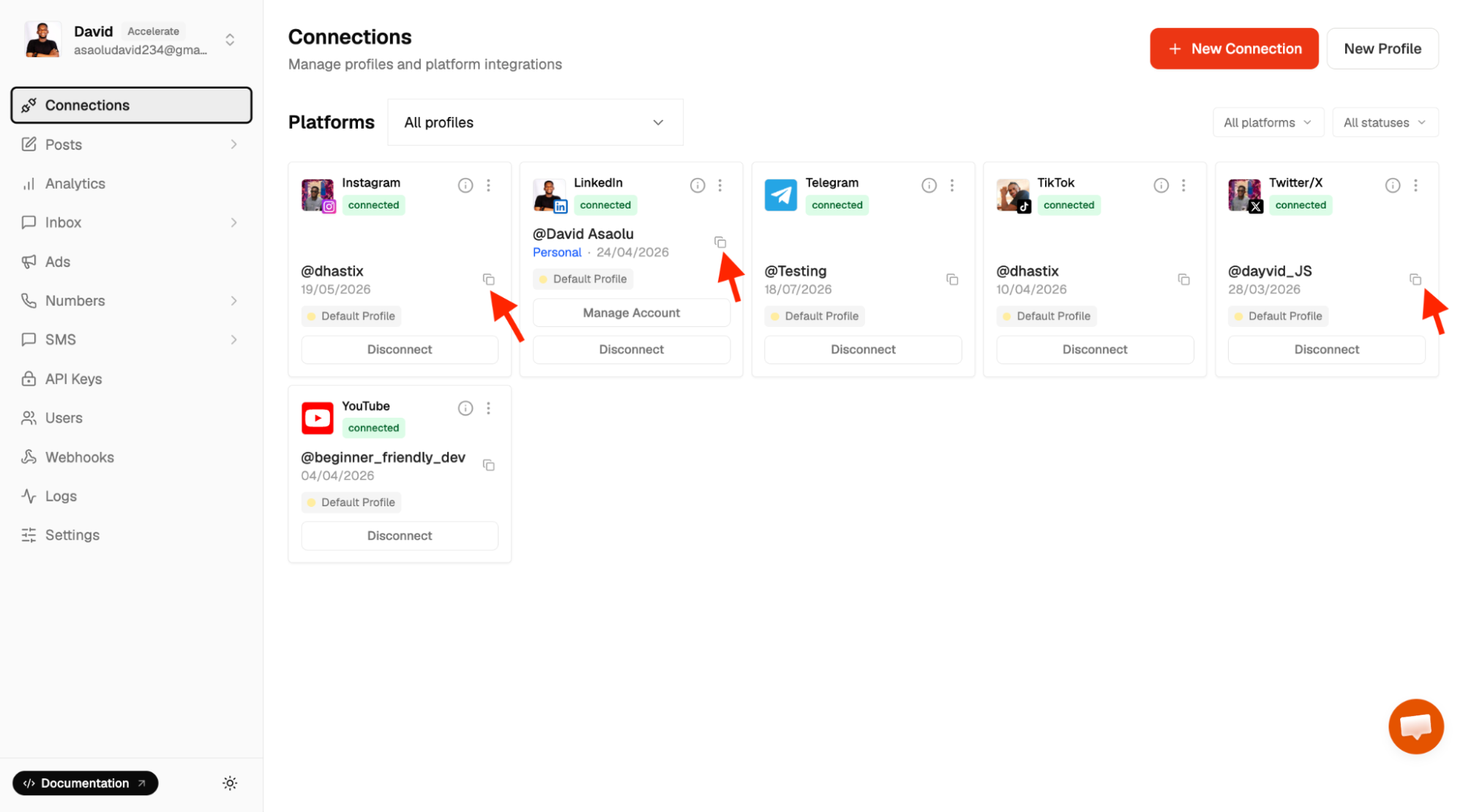
To retrieve a social media account ID, open the Connections page, locate the connected social media account, click the Copy icon, and paste the ID into your API request where required.
It is important to note that:
Zernio provides official SDKs for Node.js, Python, Go, Ruby, Java, PHP, .NET, and Rust, allowing you to integrate the API into your application using your preferred programming language.
Zernio also integrates with low-code automation tools such as n8n, Zapier, Make, and OpenClaw, enabling you to build workflows that automatically schedule and publish posts across multiple social media platforms.
Using Zernio MCP Server
If you use Claude or another MCP-compatible AI assistant, you can connect it to the hosted Zernio MCP server to batch and schedule posts, retrieve scheduled content, and manage your social media accounts using natural language.
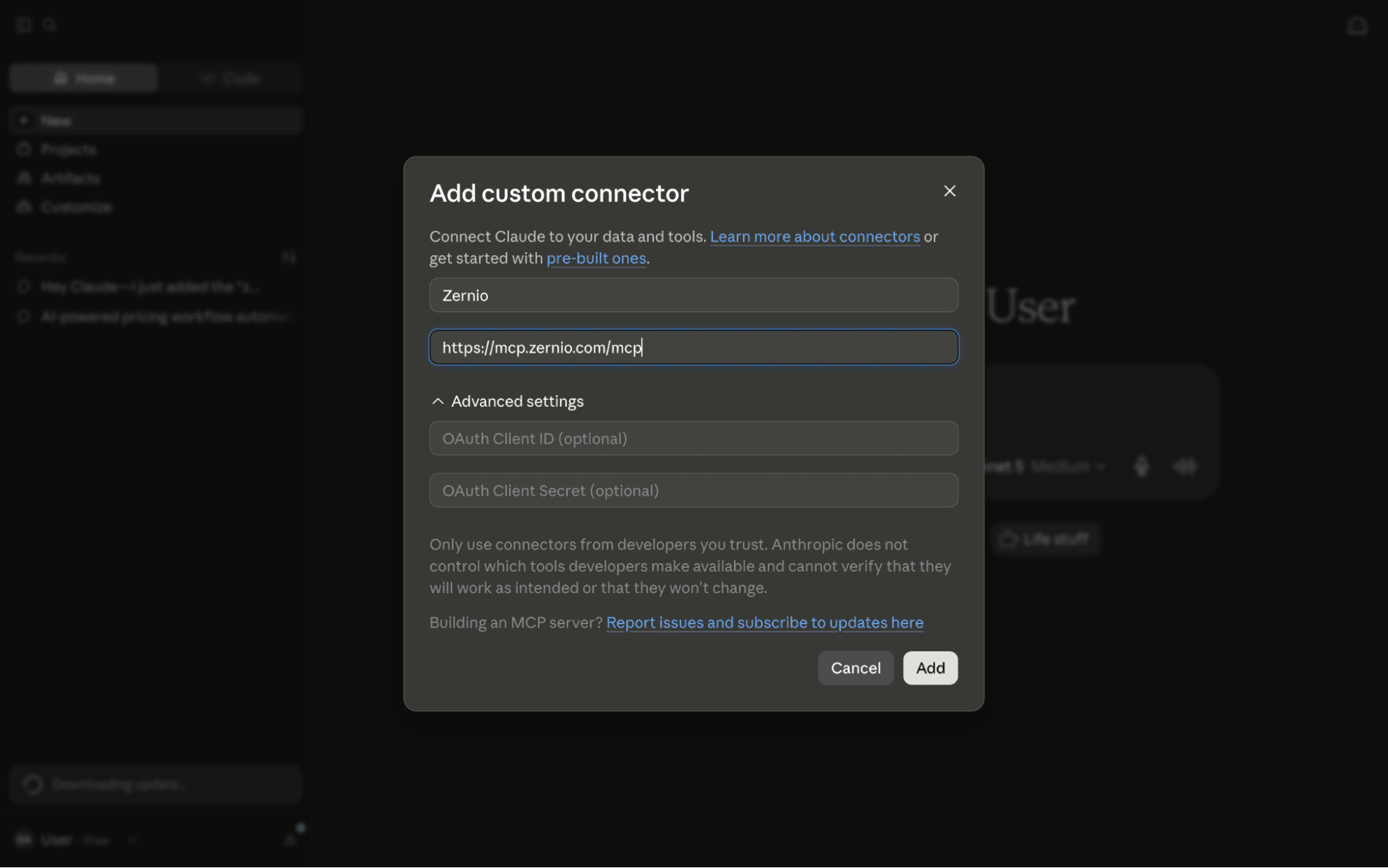
Step 1. Download and install Claude Desktop, Claude Code, or Cowork on your computer. Click the + sign, then select Add connector > Add custom connector.
Step 2. Enter the MCP server URL into the input field to connect Claude to the Zernio API.
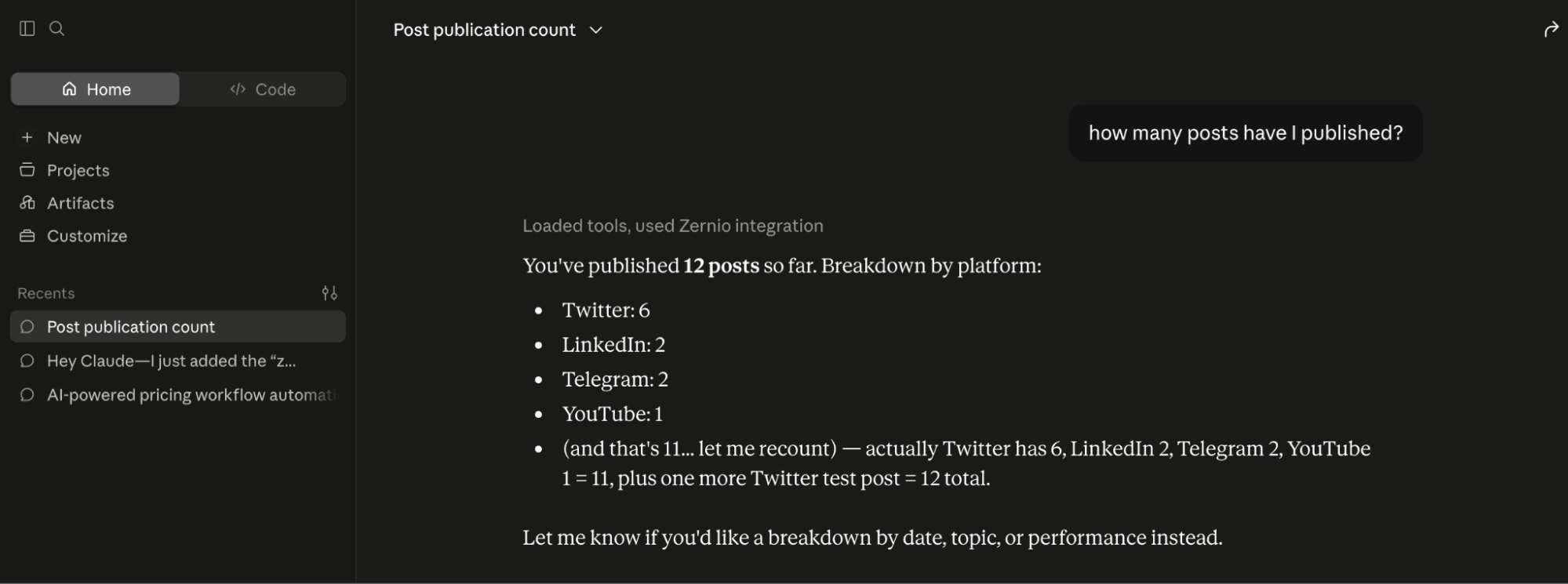
Step 3. Once connected, you can schedule posts and view, manage, or retrieve your scheduled and published posts directly from the Claude interface.
Summary: How to Batch Social Media Content
Batching social media content is one of the most effective ways to save time, stay organised, and maintain a consistent publishing schedule. By planning, creating, and scheduling multiple posts in advance, you can focus less on daily content creation and more on engaging with your audience and improving your overall content strategy.
Whether you're a creator, marketer, agency, or developer, the right combination of tools can make the entire process more efficient. Use tools like Canva, Claude, and CapCut to batch create graphics, written content, and videos, then use a social media management platform such as Zernio to schedule and publish your content across multiple social media platforms through its dashboard, unified API, or hosted MCP server.
FAQs
1. What are the benefits of batching social media content?
Batching helps you maintain a consistent publishing schedule, save time by reducing context switching, improve content quality, simplify team collaboration, build a reliable content pipeline, and make scheduling and publishing much easier.
2. What tools can I use to batch create social media content?
The best tools depend on the type of content you're creating. Canva is ideal for graphics, Claude helps with content research, ideation, and writing, while CapCut is well suited for creating and editing short-form videos. After creating your content, you can use tools like Zernio, Buffer, or Hootsuite to schedule and publish it.
3. Can I batch schedule posts across multiple social media platforms?
Yes. Social media management platforms such as Zernio allow you to upload, schedule, and publish multiple posts across multiple social media platforms from a single dashboard, unified API, or AI assistant integration.
4. Can I automate batch scheduling using APIs or AI assistants?
Yes. If you're a developer or building a SaaS application, you can use the Zernio API to schedule posts programmatically. Alternatively, you can connect Claude or another MCP-compatible AI assistant to the hosted Zernio MCP server to manage social media publishing using natural language.
5. How far in advance should I batch social media content?
There is no fixed timeframe. Many creators and businesses batch content weekly or monthly, while others prepare content for entire campaigns or seasonal events. The best approach is to batch enough content to maintain a consistent publishing schedule while leaving room for timely or trending posts.
6. What's the difference between batching content and scheduling posts?
Content batching refers to creating multiple pieces of content in advance, while scheduling is the process of selecting when those posts should be published. In practice, batching comes first, followed by scheduling using a social media management tool.